

Productivity Systems vs To-Do Lists: Which Is Better for Freelancers?

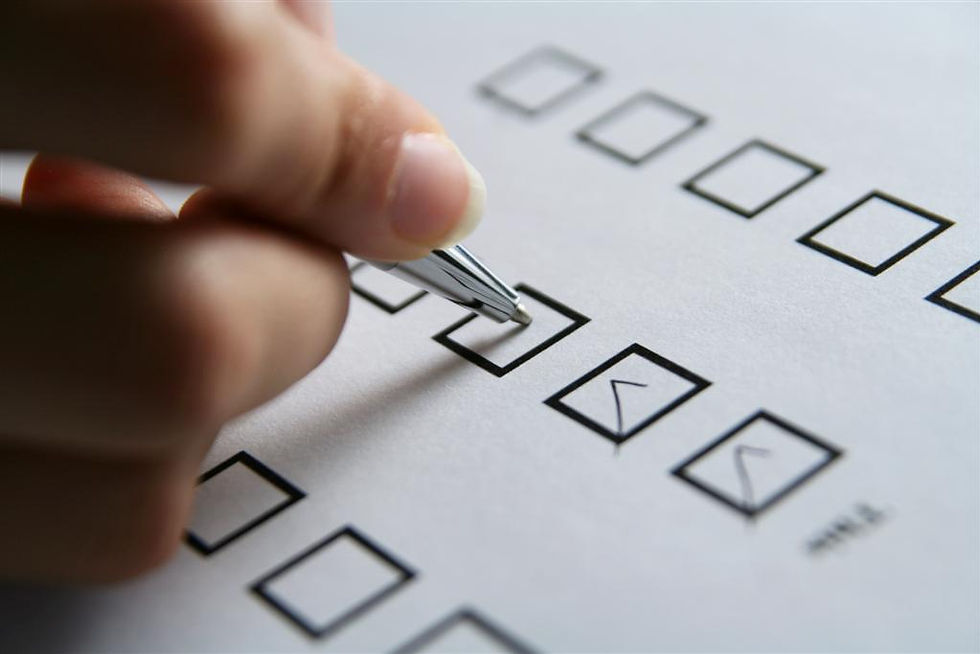
Most freelancers and self-employed folk start with a to-do list. It’s simple. It’s familiar. It feels productive. You write things down, check things off, and move on. Until one day, the list stops helping.
It gets longer instead of shorter. Everything feels important. Tasks roll over from day to day. Big projects sit there quietly until they suddenly become emergencies. And no matter how much you do, the list never seems to be “done.”
That’s usually the point where people start wondering whether they need something more than a to-do list--like a stiff drink. Joking.
No, what I'm really referring to is a productivity system. One that helps you discern between one-off tasks and long-term projects. This post will compare productivity systems vs to-do lists, and why, at a certain level of freelance work, productivity systems become your saving grace.
What a To-Do List Is Actually Good At
To-do lists are an excellent starting place when you have a lot on your plate. They help you get a "bird's eye view" of everything you are responsible for at the moment.
They’re great for:
getting tasks out of your head
tracking short-term, discrete actions
understanding how busy you actually are
For simple or finite work, a list is often all you need. If your workload is light, your deadlines are short, and your projects don’t overlap much, a to-do list can work just fine.
The problem isn’t that to-do lists are bad. It’s that they don't evolve in functionality as your work grows and becomes more complicated.
The Core Limitation of To-Do Lists
A to-do list treats every task as if it exists in the same moment. It doesn’t naturally account for:
time horizons
dependencies
project scope
future deadlines
workload capacity
“Send invoice” and “complete client rebrand” sit side by side, even though they require vastly different amounts of effort, planning, and lead time.
As freelance work becomes more complex, this flat structure creates friction. The list grows, urgency blurs, and decision-making becomes harder instead of easier. That’s when productivity starts to feel reactive instead of intentional.
This slippery slope can turn into a downright avalanche if your organization system is not allowed to mature.
What a Productivity System Does Differently

A productivity system isn’t just a bigger or better to-do list. It’s a framework for deciding:
What matters now
What matters later
What doesn’t need attention yet
A system gives tasks context. It connects today’s work to future deadlines and long-term goals. It acknowledges that not everything belongs on today’s list, even if it’s important.
Where a to-do list answers the question, “What needs to be done?” A productivity system answers, “When and why does this need attention?”
That distinction matters more as responsibility increases. Ultimately, a productivity system will help you see clearly through multiple moving goal posts.
Why Freelancers Outgrow To-Do Lists Faster Than Employees
In traditional roles, prioritization is often external. Managers, deadlines, and workflows shape what happens when. Freelancers don’t have that buffer.
They are responsible for:
execution
planning
sequencing
pacing
and recovery
A to-do list can’t manage those layers. It can only display them. That’s why freelancers who rely solely on lists often feel like they’re constantly trying to catch up, even when they’re working hard.
Systems Reduce Decision Fatigue
One of the hidden costs of long to-do lists is decision fatigue. Every time you open a list and ask, “What should I work on now?” you’re spending cognitive energy just to get started. When everything looks equally urgent, the brain stalls, and you feel overwhelmed before you've even begun work for the day.
A productivity system reduces that friction by pre-deciding some things:
What belongs to today
What belongs to this week
What belongs to later
That doesn’t remove flexibility. It removes unnecessary deliberation and prioritizes what needs your attention the most, today.
This Isn’t About Rigidity. It’s About Scale.
A common fear is that productivity systems are overly complicated, over-engineered, or joyless. They can be. But they don’t have to be. At their best, systems scale with your workload. They create structure without micromanaging your time. They allow you to hold multiple projects with different timelines without everything collapsing into a single list.
The system exists so you don’t have to hold everything in your head.
How Do You Know When a To-Do List Is No Longer Enough

If any of this feels familiar, it’s usually a sign you’ve outgrown simple lists:
Tasks constantly roll over unfinished
Deadlines surprise you even when they were written down
Large projects stall until they’re urgent
You’re busy but not moving the right things forward
Don't feel bad. This isn’t a discipline issue. It’s a tooling mismatch that nobody tells you about when you're getting your business off the ground. Until now.
What “Advancing” to a System Really Means
Advancing doesn’t mean abandoning lists entirely. Most systems still use to-do lists. They just place them inside a larger structure that accounts for time, priority, and capacity. It separates one-time tasks from large projects that will have multiple tasks that need to be completed over the length of the project.
Think of it less as replacing lists and more as giving them a home.
Getting Started With Your Productivity System
A true productivity system needs to answer questions a to-do list can’t:
What work belongs to which client?
What’s due this week versus next month?
What’s blocked, in progress, or waiting on feedback?
What needs attention before it becomes urgent?
Project management tools allow you to group tasks by client or project, assign individual deadlines, and see progress at a glance. Instead of reacting to whatever feels loudest today, you’re working from a structured overview of your workload.
Hence, a productivity system and the tools to help you build and organize it.
What to Look for in a Beginner-Friendly PM Tool
At this stage, you don’t need enterprise-level complexity. You need clarity. A good starter productivity system should let you:
Create separate projects or boards for each client
Break large deliverables into smaller tasks
Assign deadlines at the task level
See work visually across time, not just in a list
Keep in mind that while there are numerous project management tools on the market today, they are not all going to be the best fit for you.
For example, in one of my previous roles, I served as the Director of Content Marketing for a mid-size marketing agency. We used Accelo to project manage nearly 100 clients, our accounts payable and receivables, and time managing our staff and freelancers. A tool like this is meant for an agency, not a one-man business.
Project Management Tools That Work Well for Freelancers

There’s no single “best” option, but these are commonly used because they strike a balance between structure and flexibility:
A strong choice for freelancers managing multiple clients and deadlines who want clear task dependencies and timelines without building a system from scratch. It scales well as work becomes more complex, but remains usable for a one-person operation.
Well-suited for freelancers who think visually and want a customizable, at-a-glance view of their workload. It’s flexible enough to adapt to different client workflows without requiring heavy process design.
A simple, approachable option for freelancers who prefer visual boards and minimal setup. It works best for lighter project loads or early-stage systems before complexity increases.
Ideal for freelancers who want tasks, notes, planning, and client information in one place. It offers maximum flexibility, though it works best for those willing to invest some time in setting up their own structure.
A good fit for freelancers who want a single tool to handle tasks, projects, and long-term planning as their workload grows. It offers deep customization but benefits from intentional setup to avoid overcomplication.
Works well for freelancers managing complex, deadline-driven projects who want a more structured, professional-grade system. It’s especially useful for solo operators collaborating with client teams or external stakeholders.
NOTE: I am not being compensated to recommend these tools. These are tools I've used either for my own business or a client's, and I believe they are effective and easy-to-use for freelancers.
The goal isn’t to pick the “perfect” tool. It’s to pick one and use it consistently enough that your system starts carrying the mental weight instead of you. If you're unsure of which to pick, all of the above have intro videos available either on their site or on YouTube, so you can get a sense for what the UI is like. Choose the one you feel the most comfortable with using.
All of the above also have free introduction courses to help you start using the tool that can be completed in a day or less.
How This Changes Your Day-to-Day Work
When tasks live inside projects with their own deadlines, a few important things happen:
You stop relying on memory.
You see work coming before it’s urgent.
You can plan weeks ahead instead of reacting daily.
You make decisions based on priority, not pressure.
That’s the real upgrade. Not prettier lists. Not more discipline. Less chaos.
One important clarification for intermediate freelancers: adopting a productivity system doesn’t mean becoming rigid, overly scheduled, or corporate.
A good system is quiet. It sits in the background, keeping track of things so you don’t have to. It gives you room to focus on the actual work instead of constantly asking, “What am I forgetting?”
That’s why systems eventually become necessary. Not because lists are bad, but because your work has outgrown them.
If you're ready to join the "big boys" of self-employment or freelancing, sign up for the weekly newsletter below so you never miss helpful posts like this.
FAQs: Productivity Systems vs To-Do Lists
Q: What is the difference between a productivity system and a to-do list?
A: A to-do list captures tasks, while a productivity system organizes tasks across time, priority, and context. Systems help decide when and why work happens, not just what needs doing.
Q: Are productivity systems better than to-do lists for freelancers?
A: For freelancers with complex workloads and overlapping deadlines, productivity systems are often more effective because they reduce decision fatigue and improve planning.
Q: Can a to-do list be part of a productivity system?
A: Yes. Most productivity systems still use to-do lists, but they are structured within weekly, daily, or project-based frameworks.
Q: When should a freelancer move beyond a to-do list?
A: When tasks become overwhelming, deadlines are missed despite being written down, or work feels reactive instead of intentional, it’s often time to adopt a productivity system.


Comments